Free PNG Converter – Convert Images to PNG Online
PNG Converter is a simple online tool that helps you change an image from one format to another. Sometimes an image may be saved as JPG, WEBP, or SVG, but you need it in PNG format for your website, project, design, or personal use. Instead of installing complicated software, you can convert the image directly from your browser.
PNG is a popular image format because it can support transparent backgrounds and preserve good image quality. This makes it useful for logos, icons, screenshots, graphics, and many other types of images.
Our PNG Converter makes the conversion process quick and straightforward. Upload your image, choose PNG as the output format, and download the converted file when it is ready. No complicated steps are required.
How to Use the PNG Converter
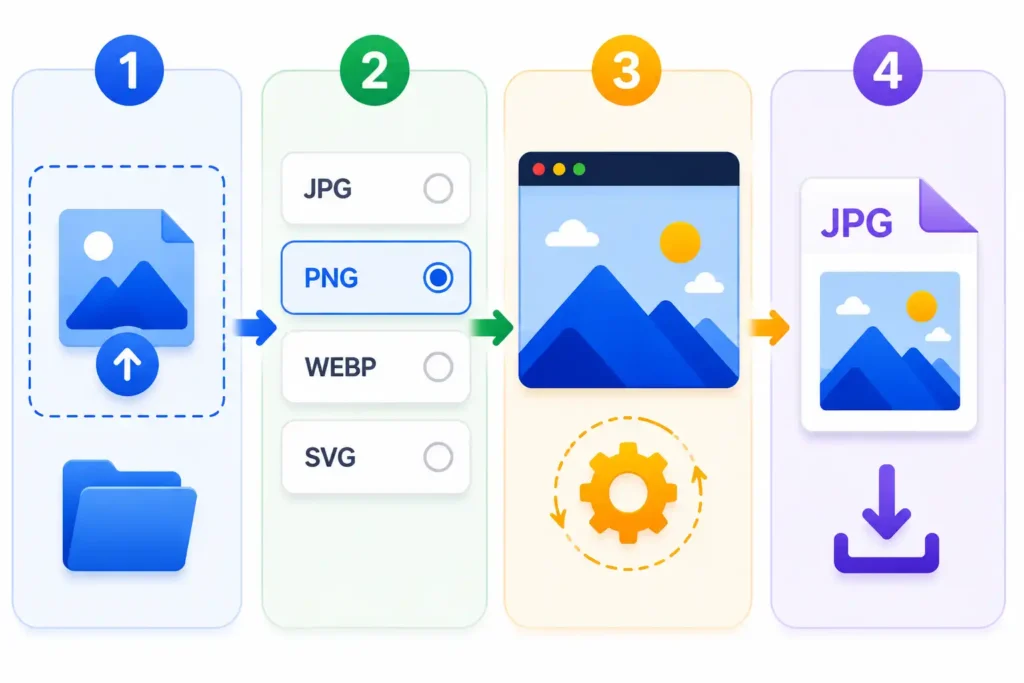
Using our PNG Converter is easy and only takes a few steps.
1. Upload Your Image
First, select the image you want to convert. You can upload a supported image file directly from your device or drag and drop it into the upload area.
2. Choose PNG as the Output Format
After uploading the image, select PNG from the available output formats.
3. Start the Conversion
Click the convert button to begin processing your image. The conversion is handled directly in your browser.
4. Download Your PNG File
Once the conversion is complete, download the new PNG image to your device and use it wherever you need.
Features of Our PNG Converter
Our PNG Converter is designed to keep the image conversion process simple and convenient.
Easy to Use
You do not need technical knowledge or special software. Upload your image, select PNG, and convert it in just a few steps.
Browser-Based Conversion
The tool works directly in your web browser. This means you do not need to install an application on your computer.
Fast Image Processing
For most normal image files, the conversion process only takes a short time.
Supports Popular Image Formats
You can work with popular formats such as JPG, PNG, WEBP, and SVG.
No Software Installation
Everything can be done from your browser. Simply open the PNG Converter whenever you need to convert an image.
Useful for Different Types of Images
The converter can be helpful for logos, screenshots, website graphics, images with transparent backgrounds, and other common image files.
Free Online PNG Converter
Our Free Online PNG Converter gives you a simple way to convert supported images to PNG without installing additional image editing software.
PNG files are especially useful when you need transparency or want to use an image for web graphics, logos, icons, or digital designs. With this tool, you can convert your image and download the result directly from your browser.
The converter is designed to provide a straightforward experience for users who simply want to change an image format without dealing with complicated settings.
Supported Formats
Our PNG Converter supports several popular image formats.
Supported Input Formats
You can upload:
Supported Output Formats
You can convert supported images to:
Important Note About SVG
When converting a JPG, PNG, or WEBP image to SVG, the image may be placed inside an SVG file rather than being converted into a true vector illustration. A true vector conversion requires image tracing or vectorization technology.
Frequently Asked Questions
What is a PNG Converter?
A PNG Converter is a tool that allows you to convert supported image files into PNG format.
Is this PNG Converter free to use?
Yes, you can use the converter online without installing image conversion software.
Do I need to create an account?
No. You can upload your supported image and start converting it directly.
Which image formats can I upload?
The tool supports JPG, JPEG, PNG, WEBP, and SVG files.
Can I convert JPG to PNG?
Yes. Upload your JPG image, choose PNG as the output format, and convert it.
Can I convert WEBP to PNG?
Yes. WEBP images can be converted to PNG using the converter.
Can I convert SVG to PNG?
Yes. Supported SVG files can be processed and converted into PNG format.
Can I convert PNG to JPG?
Yes. You can also choose JPG as the output format when converting a PNG image.
Do I need to install any software?
No. The converter works directly in your web browser.
Will converting an image change its original file?
No. The original image remains unchanged. The converter creates a separate converted file for download.
Can I use the PNG Converter on mobile?
Yes. You can use the tool from a mobile browser as well as on desktop devices.
Is JPG to SVG a true vector conversion?
Not necessarily. Converting a normal raster image such as JPG or PNG into a true editable vector SVG requires vectorization technology. A standard image conversion may instead create an SVG file containing the original image data.