Image to SVG Converter – Convert Images to SVG Online Free
Image to SVG Converter is a useful online tool that helps turn regular image files into SVG format. SVG, which stands for Scalable Vector Graphics, is different from common image formats like PNG or JPG. Instead of storing an image only as pixels, an SVG uses vector paths and shapes.
This can be useful when you want an image that can be resized without losing as much visual quality. For example, SVG files are often used for logos, icons, illustrations, website graphics, and other designs that may need to appear at different sizes.
With our Image to SVG Converter, you can upload your image and convert it directly in your browser. The tool supports several popular image formats and makes the conversion process simple. You do not need advanced design skills or complicated software to get started.
Simply upload your image, choose your preferred conversion settings, convert the file, preview the result, and download your SVG file.
How to Convert Image to SVG
Converting an image to SVG with our tool is simple. You can complete the process in just a few steps.
1. Upload Your Image
Start by selecting the image you want to convert. You can click the upload area or drag and drop your image directly into the tool.
2. Check the Image Preview
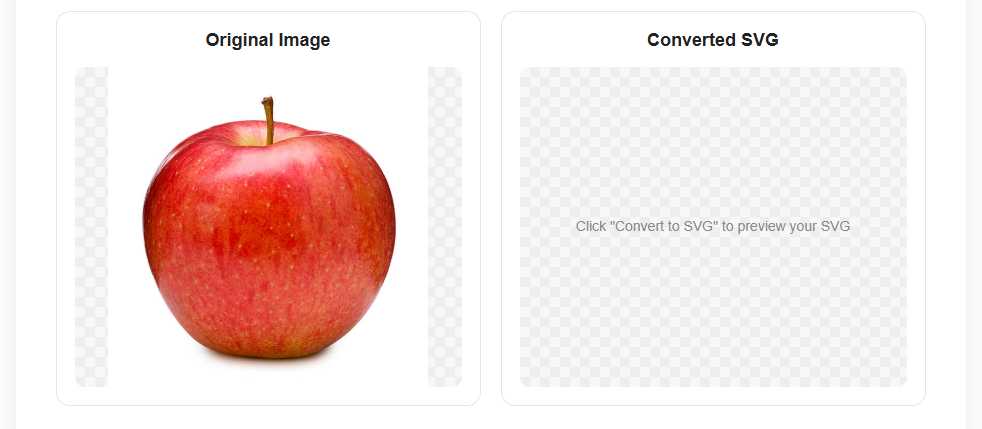
After uploading, the original image will appear in the preview section. This allows you to make sure you selected the correct file before starting the conversion.
3. Choose Your Conversion Settings
You can adjust settings such as color mode, path precision, and blur. These options can affect how the final SVG is created.
For example, using more colors may preserve more details, while changing the path precision can affect the complexity of the SVG paths.
4. Click Convert to SVG
Once you are happy with the settings, click the Convert to SVG button. The tool will process your image and create an SVG version.
5. Preview the Converted SVG
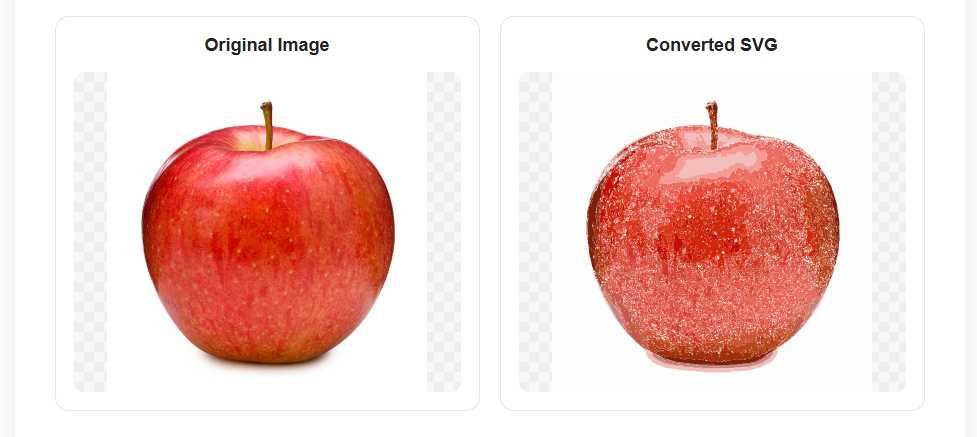
After the conversion is complete, you can view the generated SVG directly in the preview section.
6. Download Your SVG File
If you are satisfied with the result, click Download SVG to save the converted file to your device.
Features of Our Image to SVG Converter
Our online Image to SVG tool is designed to make image conversion simple and convenient.
Easy Image Upload
You can upload an image by clicking the upload area or by using drag and drop.
Multiple Image Format Support
The tool supports several commonly used image formats, so you are not limited to converting only PNG files.
SVG Preview
Before downloading the file, you can preview the converted SVG and check how the result looks.
Adjustable Conversion Settings
Different images require different levels of detail. The conversion settings allow you to control color levels, path precision, and blur according to your needs.
No Software Installation
You do not need to download or install complicated design software. The conversion can be completed directly through your browser.
Simple Download Process
Once your image has been converted successfully, you can download the SVG file with a single click.
Easy Reset Option
The reset feature allows you to clear the current image and start a new conversion whenever you need to convert another file.
Free Online Image to SVG Converter
Our free online Image to SVG Converter makes it easy to convert supported image files into SVG format without using complex software.
This type of tool can be helpful for website owners, designers, bloggers, developers, students, and anyone who needs a vector version of an image. You can upload your file, adjust the available settings, convert it, preview the result, and download the SVG.
Because the tool works online, you can use it from many modern devices and browsers without needing a separate desktop application.
Whether you are working with a simple icon, graphic, illustration, or another supported image file, our Image to SVG Converter provides a straightforward way to create an SVG version.
Supported Formats
Our Image to SVG Converter supports the following image formats:
PNG
PNG is commonly used for images with transparent backgrounds, screenshots, logos, and web graphics.
JPG
JPG is one of the most widely used image formats and is commonly used for photographs and general images.
JPEG
JPEG files work similarly to JPG files and are widely used for photos and compressed images.
WEBP
WEBP is a modern image format that is commonly used on websites because it can provide good image quality with efficient file sizes.
GIF
GIF images can also be uploaded for conversion. The resulting SVG is created from the image data supported by the browser and conversion process.
BMP
BMP is a bitmap image format that can be converted into an SVG using the available conversion settings.
AVIF
AVIF is a newer image format that offers efficient image compression and modern web support.
ICO
ICO files are commonly used for website icons and favicons. Supported ICO images can also be uploaded for conversion.
Supported formats: PNG, JPG, JPEG, WEBP, GIF, BMP, AVIF, and ICO.