PNG to SVG Converter – Convert PNG to SVG Online for Free
PNG to SVG Converter helps transform a PNG image into an SVG file through an online conversion process. This can be useful when you have a PNG logo, icon, symbol, drawing, or graphic and need a version that works in SVG format.
PNG is a pixel-based image format. When a pixel image is enlarged too much, its edges may eventually appear less sharp. SVG works differently because the file is built from mathematical paths and shapes. For this reason, SVG files are commonly used for graphics that may need to appear at different sizes.
Our PNG to SVG Converter gives you a straightforward way to create an SVG version of your PNG file. Upload the image, adjust the available options if needed, start the conversion, and download the finished SVG.
The tool is suitable for users who want a quick solution without opening complex graphic design software. Whether you are preparing a website logo, icon, simple artwork, or another PNG graphic, you can complete the conversion in a few simple steps.
How to PNG to SVG
Using the PNG to SVG Converter does not require any special technical knowledge. Here is how the process works.
Upload a PNG File
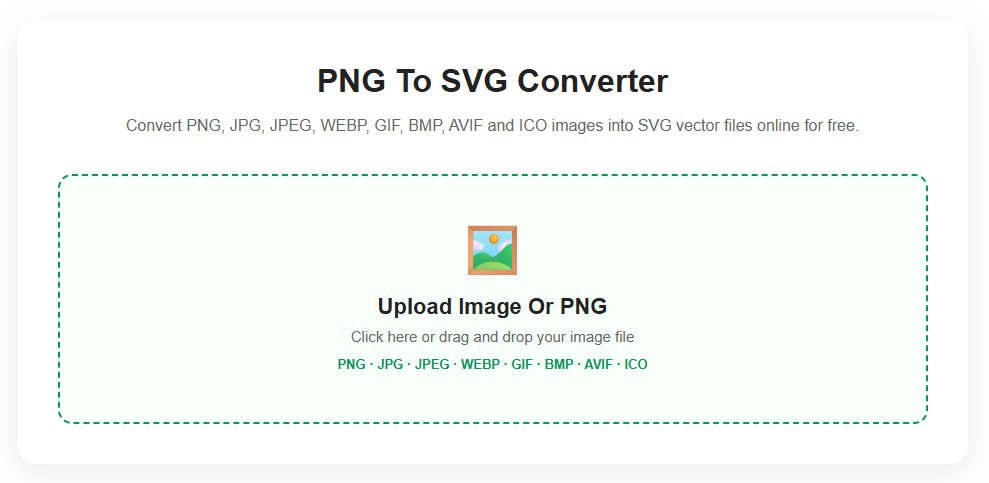
First, select the PNG image you want to convert. You can choose the file from your device by clicking the upload box or drag the image directly into the designated area.
Review the Uploaded Image
Once the file has been loaded, the tool displays a preview of your original PNG. This gives you an opportunity to confirm that the correct image is ready for conversion.
Select Conversion Options
Before creating the SVG, you can choose from the available settings. Depending on your image, you may want to adjust the number of colors, path detail, or blur level.
Start the PNG to SVG Conversion
Click the Convert to SVG button to begin processing the image. The converter analyzes the PNG and generates an SVG based on its visible colors and shapes.
View the Result
After processing is complete, the converted version appears in the SVG preview area.
Save the SVG
Click Download SVG to save the new file to your device. You can then use the SVG where needed.
Features of Our PNG to SVG Converter
Our PNG vector converter tool includes practical options that make the conversion process easier.
Drag and Drop Upload
You can quickly add a PNG file by dragging it into the upload area. You can also use the regular file selection option.
Original Image Preview
The tool displays your uploaded image so you can check it before starting the conversion.
Adjustable Color Options
Different graphics contain different amounts of color. The color setting gives you control over how much color information is included during the conversion.
Path Detail Control
You can choose a path precision level to influence the level of detail used when creating the SVG.
Blur Settings
The available blur option can help adjust how image details are processed before vector paths are created.
SVG Result Preview
There is no need to download the file immediately. You can first view the converted SVG and check the result.
Direct Browser Conversion
The conversion process is designed to work online, allowing you to use the tool without installing a separate image editing program.
One-Click SVG Download
Once your conversion is complete, the SVG file can be downloaded directly.
Start Again Anytime
The Reset option clears the current file and allows you to upload a new image for another conversion.
Free Online PNG to SVG Converter
Our Free Online PNG to SVG Converter is designed for people who need a simple way to change PNG graphics into SVG files.
Instead of manually recreating a logo or illustration in vector software, you can upload the PNG and let the converter generate an SVG version. This can save time when working with simple graphics, icons, symbols, and illustrations.
The tool can be useful for web designers, developers, students, content creators, business owners, and anyone working with digital graphics.
It is important to remember that conversion results can vary. A simple image with clean lines and clearly separated colors will usually be easier to convert into vector paths than a highly detailed photograph.
For the best results, PNG files such as logos, icons, illustrations, clipart, and simple graphics are generally good choices for SVG conversion.
Supported Formats
Although this converter is focused on PNG to SVG conversion, the tool can also accept several other popular image formats.
PNG
PNG is the main format for this tool. It is commonly used for logos, transparent graphics, illustrations, screenshots, and web images.
JPG
JPG files can be uploaded when you want to create an SVG version of a standard image.
JPEG
JPEG is another widely used image format supported by the converter.
WEBP
WEBP files can also be processed for SVG conversion.
GIF
GIF images can be uploaded for supported image conversion. The conversion result is based on the image data processed by the tool.
BMP
BMP is a bitmap-based format that can also be converted into an SVG file.
AVIF
AVIF images may be uploaded when supported by the browser and device being used.
ICO
ICO files are often associated with website icons and favicons and can also be used with the converter.
Supported formats include: PNG, JPG, JPEG, WEBP, GIF, BMP, AVIF, and ICO.
Frequently Asked Questions
What does a PNG to SVG Converter do?
A PNG logo to SVG Converter processes a PNG image and creates an SVG file based on the image’s visible shapes, colors, and details.
Is PNG to SVG conversion free?
Yes. You can use the online converter to upload a supported image, create an SVG version, preview the result, and download the file.
Is SVG better than PNG?
They are designed for different purposes. PNG is useful for pixel-based images, while SVG is particularly useful for graphics such as icons, logos, and illustrations that may need to be displayed at different sizes.
Can every PNG be converted perfectly to SVG?
Not necessarily. The final result depends on the original image. Clean graphics with simple shapes and clear color areas usually produce better results than highly detailed images.
What type of PNG gives the best SVG result?
Images such as logos, icons, line drawings, symbols, and simple illustrations are generally good candidates for conversion.
Can I convert a PNG photograph to SVG?
Yes, you can upload a PNG photograph. However, photographs contain many small details and color variations, which can result in a more complex SVG file.
Why does my converted SVG look different from the original PNG?
SVG conversion involves interpreting a pixel-based image and creating paths from it. Settings such as color amount, path precision, and blur can affect the final appearance.
What is the purpose of Color Mode?
Color Mode determines the level of color information used during the conversion. A higher number of colors may retain more visual variation, while fewer colors can produce a simpler result.
What does Path Precision change?
Path Precision affects how closely the generated vector paths follow the details found in the original PNG image.
Can I check the SVG before saving it?
Yes. After conversion, the SVG preview allows you to see the generated result before downloading.
Do I need Photoshop or other design software?
No. You can use the SVG converter Converter directly from your browser without installing graphic design software.
Can I convert another PNG after finishing?
Yes. Click the Reset button to clear the current conversion, then upload another PNG image and repeat the process.