Image Translator
Translate text from images quickly and easily. Upload an image, extract the text automatically, choose your target language, and translate it directly in your browser.
Image Translator – Translate Text from Images Online Free
Use our Image Translator to recognize text inside pictures and translate it into another language. The simple browser-based experience makes it easier to understand text found in photos, screenshots, signs, menus, labels, and other images.
What Is an Image Translator?
An Image Translator is an online tool that helps you understand written text found inside an image. Instead of manually typing the words into a translation service, you can start with a picture that contains readable text.
This can be helpful when you have a photo, screenshot, scanned page, restaurant menu, product label, travel sign, poster, or another visual containing text in a language you do not understand.
An image translation tool generally combines text recognition with language translation. First, the text needs to be recognized from the picture. The recognized text can then be translated into a language you select.
How to Translate Text from an Image
Using an online image translator does not need to be complicated. The general process can be completed in a few simple steps.
Choose an Image
Select a photo, screenshot, scanned image, or another supported picture that contains the text you want to translate.
Recognize the Text
The text recognition process reads the visible characters and words from your image.
Select a Language
Choose the target language in which you want the recognized text to be translated.
Get the Translation
Start the translation process and review the translated text generated from your image.
Features of Our Image Translator
Our Image Translator is designed around a simple goal: make it easier to work with text contained in pictures. The available features can help reduce manual typing and make image-based information easier to understand.
Translate Image Text
Work with readable text inside photos and other supported images instead of entering every word manually.
Simple Interface
The straightforward interface makes the image translation process easier for beginners and regular users.
Screenshot Translation
Translate text captured from websites, applications, messages, and other digital content.
Multiple Languages
Choose from the language options available through the recognition and translation technologies used by the tool.
Online Access
Use the tool through a modern web browser without installing a separate desktop application.
Mobile Friendly
The responsive layout makes it convenient to use an image text translator on smartphones and tablets.
Free Online Image Translator
Sometimes the text you need to understand is available only as a picture. Typing that text manually can take unnecessary time, especially when the image contains several sentences or a large amount of information.
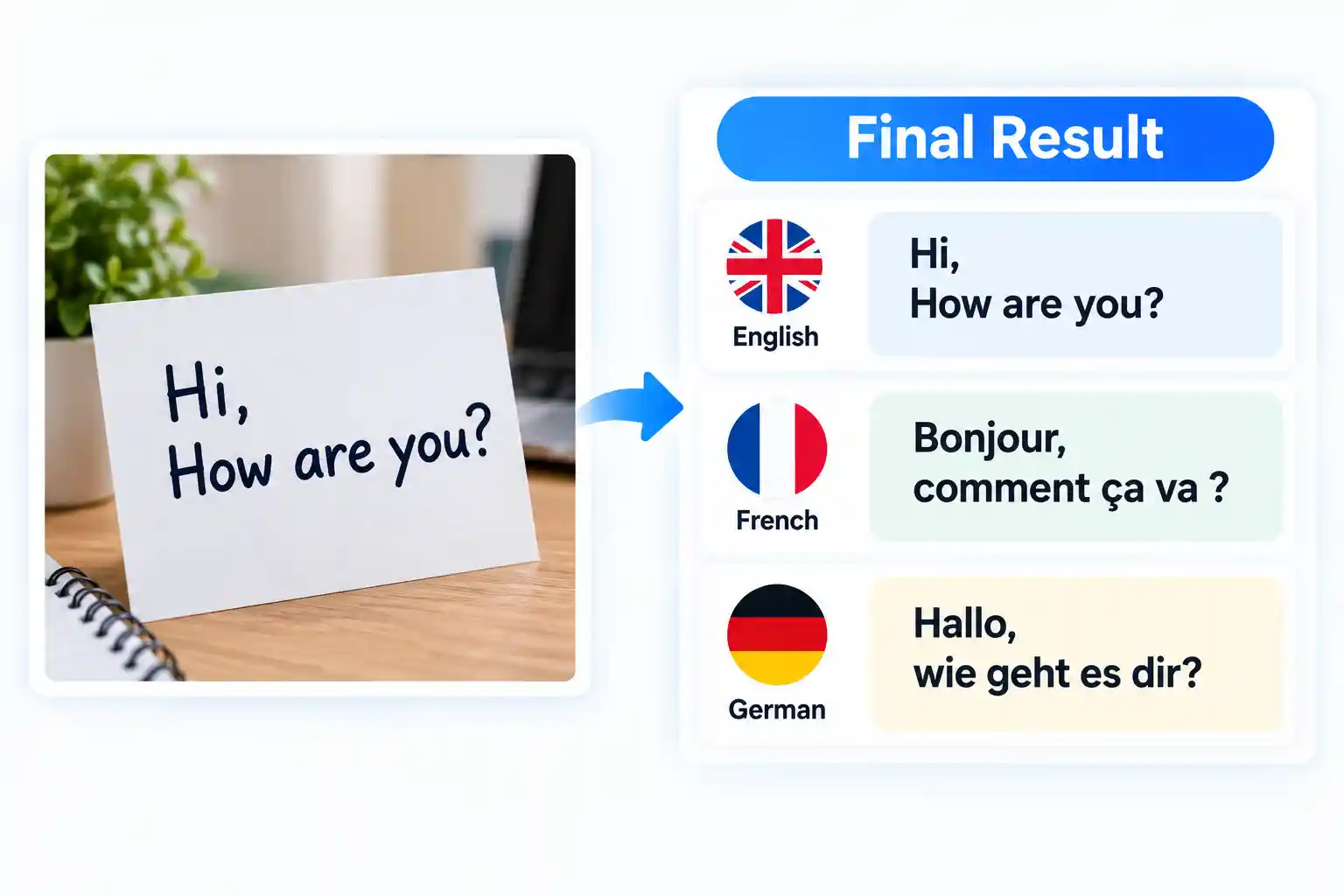
A free online Image Translator can provide a convenient way to work with this type of content. You can start with an image and use the available text recognition and translation features through your web browser.
This can be useful for travelers, students, freelancers, researchers, online shoppers, content creators, and everyday users who regularly come across foreign-language text in images.
Who Can Use an Image Translation Tool?
Image translation is useful in many everyday situations. Anyone who needs to understand text from a picture can potentially benefit from an Image Text Translator.
Supported Image Formats
The quality of the source image can affect text recognition. Clear images with readable characters generally provide better results than extremely blurry, dark, or low-resolution pictures.
Common image formats that may be suitable for an online Photo Translator include:
For better recognition, try to use an image where the text is clearly visible, properly focused, and not heavily covered by backgrounds or other objects.
Tips for Better Image Translation Results
The quality of the original image can make a noticeable difference when extracting text. If the characters are difficult to see, the recognition stage may not correctly identify every word.
Use a Clear Image
Choose a picture with enough resolution for the letters to be easily recognized. Avoid extremely compressed or blurry images whenever possible.
Keep the Text Visible
Images with strong shadows, reflections, patterns, or objects covering the text can make recognition more difficult.
Check the Result
Machine-based text recognition and translation can occasionally make mistakes. Always review important translations before using them for official, legal, medical, or other critical purposes.
Image Translation and Privacy
Images can sometimes contain personal information, documents, receipts, private conversations, or other sensitive details. It is therefore important to consider privacy whenever you use an online image translation service.
Be Careful With Sensitive Images
Avoid uploading images containing highly sensitive personal or confidential information unless you understand how the particular service processes your files. For important or private documents, always review the service's privacy and data-handling information.
Related Image Tools
If you regularly work with images, these related tools can also help with common image editing, conversion, and text extraction tasks.
Frequently Asked Questions About Image Translator
What is an Image Translator?
An Image Translator is a tool that helps recognize text inside an image and translate that text into another language. It can be useful for photos, screenshots, signs, menus, labels, and other images containing readable text.
Can I translate text from a photo?
Yes. A photo containing clear and readable text can be used with an image translation workflow. Better image quality generally helps the text recognition process.
Can I translate text from a screenshot?
Yes. Screenshots containing readable text can be useful for image translation. This can help with messages, websites, applications, and other digital content.
Is an online Image Translator free?
Some online image translation tools are available for free. Features, language availability, and processing methods can vary between different services.
Which image formats can I use?
Common formats such as JPG, JPEG, PNG, GIF, BMP, and WEBP may be supported. The exact formats available depend on the particular image translation tool and browser.
Can I use an Image Translator on mobile?
Yes. A responsive online image translator can be accessed from modern smartphones and tablets. The exact experience may vary depending on your device and browser.
Why is my image translation inaccurate?
Blurry images, unusual fonts, poor lighting, low resolution, handwriting, background patterns, and unclear characters can affect text recognition. Translation quality can also vary by language and context.
Does an Image Translator support many languages?
Language support depends on the OCR and translation technologies used by the tool. A tool may display many language options, but recognition and translation capabilities can vary between languages and browsers.
Translate Text From Your Images
Make image-based text easier to understand with a simple online image translation workflow. Upload a clear image, choose your target language, and explore the available translation features.