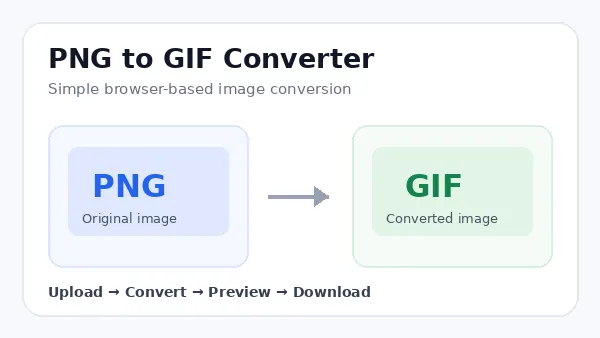
Need a quick way to convert a PNG image into a GIF? Our PNG to GIF Converter lets you change PNG images into GIF files directly from your browser.
Upload your PNG, convert it, preview the result, and download the GIF when you are ready.
Easy Conversion
Convert PNG images to GIF without complicated editing controls.
Browser-Based
Complete the conversion directly from a modern web browser.
Preview First
Check the converted GIF before downloading the finished file.
What Is a PNG to GIF Converter?
A PNG to GIF Converter is an online tool that changes an image from PNG format into GIF format. Both formats are commonly used for digital images, but they have different characteristics.
PNG is often useful for graphics, screenshots, illustrations, and images where a broad range of colors or transparency is important. GIF is commonly used for simple graphics and animated images.
If a website or application requires a GIF file, converting an existing PNG can be a convenient way to prepare the image.
How to Convert PNG to GIF Online
You can convert your PNG image in a few simple steps.
Upload PNG
Select the PNG image you want to convert.
Start Conversion
Start the PNG to GIF conversion.
Preview
Check the converted GIF before saving it.
Download
Download the finished GIF file.
Can PNG and GIF Have the Same Image Quality?
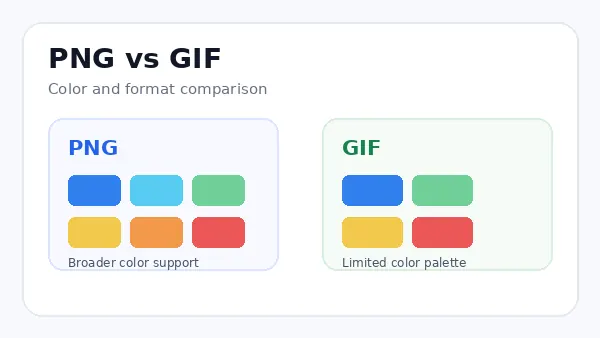
The final appearance depends on the original image. PNG can contain a broader range of colors, while a standard GIF uses a limited color palette.
Simple graphics and illustrations may look very similar after conversion. Photographs, gradients, shadows, and detailed artwork can show more noticeable changes.
Helpful tip: Preview the converted GIF before downloading it, especially when the original PNG contains many colors or gradients.
PNG vs GIF: What Is the Difference?
| Feature | PNG | GIF |
|---|---|---|
| Color support | Broad range of colors | Limited color palette |
| Transparency | Supports transparency | Supports limited transparency |
| Animation | Not traditionally used for animation | Commonly used for simple animation |
| Common uses | Graphics and screenshots | Simple graphics and animations |
When Should You Convert PNG to GIF?
PNG to GIF conversion can be useful when a website, application, or publishing system specifically requires a GIF file.
GIF can also work well for simple graphics that do not depend on a large number of colors.
For photographs or detailed artwork, check the converted result carefully because GIF has a more limited color palette.
Does the PNG to GIF Converter Work in the Browser?
Yes. The tool is designed for browser-based image conversion. You can perform the conversion from a modern web browser without installing traditional image editing software.
Tips for Getting a Better PNG to GIF Result
- Start with a clear, good-quality PNG image.
- Preview the converted GIF before downloading it.
- Pay extra attention to photographs and gradients.
- Keep your original PNG for future use.
- Use GIF when the destination requires the GIF format.
Related Image Tools
If you work with images regularly, these related ImageToResizer tools may also be useful.
Frequently Asked Questions
What is a PNG to GIF Converter?
A PNG to GIF Converter changes a PNG image into a GIF file for situations where the GIF format is required.
Can I convert PNG to GIF online?
Yes. You can convert PNG to GIF online using a browser-based image conversion tool.
Is the PNG to GIF Converter free?
The ImageToResizer PNG to GIF Converter is available as a free online image conversion tool.
Will my original image dimensions change?
The converter is designed to keep the original image dimensions during conversion.
Will the GIF look exactly like the PNG?
Not always. GIF has a limited color palette, so images with many colors or gradients can look different.
Can I convert a transparent PNG to GIF?
GIF supports limited transparency, but it does not provide the same transparency capabilities as PNG.
Do I need to install software?
No. The converter is designed to work directly in a modern web browser.
Can I preview the GIF before downloading?
Yes. You can preview the converted GIF before downloading it.
Is GIF suitable for photographs?
GIF can be used for photographs, but its limited color palette can cause visible differences from the original PNG.
What should I do if the GIF looks different?
Compare the GIF preview with the original PNG. Images with many colors may naturally show differences after conversion.
Convert PNG to GIF Online
Use the PNG to GIF Converter above to upload your PNG, create the GIF, preview the result, and download your converted image.