What is Invert Image?
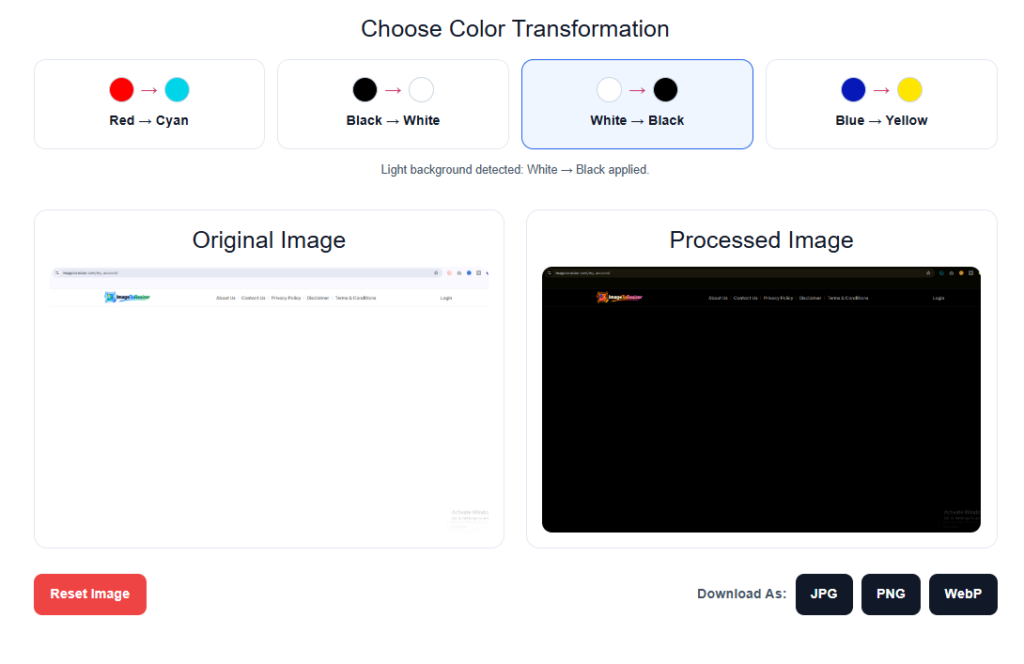
Invert Image is a process where the colors of an image are changed to their opposite colors. Simply put, the black part of an image can be white, the white part can be black, the red part can be changed to Cyan, and the blue part can be changed to Yellow.
Invert Image color inversion is used for various reasons. Many people use this method to change designs, create a new look for an image, or to change between dark and light colors.
Using our Invert Image Tool, you can change the color of an image directly online without installing any complicated software. Just upload your image, select the color transformation of your choice, and preview the processed image.
How to Invert Image Color Online?
Our online image color inverter is very easy to use. Follow the steps below:
Upload Your Image: First, click the Choose Image button and select an image from your device. You can upload a JPG, PNG, or WebP image.
Choose a Color Transformation: After uploading the image, select the color transformation of your choice. Our tool has a few simple options, such as:

- Red → Cyan
- Black → White
- White → Black
- Blue → Yellow
Preview the Result: As soon as you select an option, you can see a preview of the processed image. This makes it easy to see how the modified image will look before downloading it.
Download Your Image: If everything is correct, you can download your new image by selecting JPG, PNG or WebP format.
The entire process can be done within the browser, so there is no need to use separate software for simple image color changes.
Features of Our Image Color Inverter
Our Image Color Inverter tool is designed to be easy to use. Here are some essential features.
Easy Image Upload
You can easily select and upload images from your device. You don’t have to follow any complicated steps to upload.
Multiple Color Transformation Options
Not all images require the same type of color change. That’s why multiple transformation options are provided here. You can choose the option of your choice according to your needs.
Instant Image Preview
After selecting a color transformation, you can see a preview of the changed image. This makes it easy to check the results before downloading.
Original Image Information
After uploading the image, you can see some important information about the image, such as:
- File name
- Original file size
- Image dimensions
This will help you easily understand what image you are working with.
Multiple Download Formats

There is a facility to download processed images in various formats. According to your needs:
You can select the format.
No Software Installation
There is no need to download or install any software to use this online image inverter. The tool can be used with a supported web browser.
Simple and User-Friendly
The tool’s interface has been kept simple so that even new users can easily upload, change colors, and download images.
Free Online Invert Image Color Inverter
You can easily change the selected color of the image using our free online invert image color inverter. Sometimes it is not necessary to use big photo editing software for a small task. For simple color transformation an online tool can be a quick and easy solution.
You upload the image, select the desired transformation, preview the result, and download it in the required format.
No special experience in photo editing is required to use this tool. Even a common user can change the color of an image in a few simple steps.
Supported Formats
Currently, our Invert Image Tool supports several popular image formats.
JPG / JPEG
JPG is one of the most widely used image formats. It is widely used for general images and photographs.
PNG
PNG format is generally popular for graphics, logos, and images with transparent backgrounds.
WebP
WebP is a modern image format that has become popular for web use and in many cases helps to keep file size small while maintaining image quality.
After uploading a supported image, you can download the processed result in JPG, PNG or WebP format.
Free Invert Image Tool (FAQ)
What is an Invert Image Tool?
An Invert Image Tool is an online tool that helps you change a specific color or color relationship in an image. For example, you can change Black → White or White → Black.
Is this Image Color Inverter free to use?
Yes, this online tool can be used to perform simple image color transformation.
Do I need to install any software?
No. You don’t need to install any separate software to use this tool. You can work by uploading images directly from the browser.
Which image formats are supported?
Currently, JPG, PNG, and WebP image formats are supported.
Can I download the processed image?
Yes. After processing the image, you can download the result in JPG, PNG or WebP format.
Can I preview the image before downloading?
Yes. After color transformation, a processed image preview is displayed, so you can check the result before downloading.
What is the maximum image upload size?
The tool allows you to upload images up to a maximum size of 20MB.
Will the original image be changed?
No. Your original image is not changed. The tool creates a processed version, and the original image remains on your device as before.
Can I use this tool on a mobile phone?
Yes. It is possible to use the tool from a mobile, tablet or desktop device using a modern web browser.