What is Image Compressor?
Image Compressor is an online tool that helps reduce the file size of images. That is, if the size of an image is too large in MB or KB, then this tool can be used to reduce the file size of the image.
Sometimes large images can slow down the website and use more storage. In addition, uploading large images to emails, websites or various online platforms can also take more time. Using Image Compressor can reduce the size of the image to create a relatively small file.
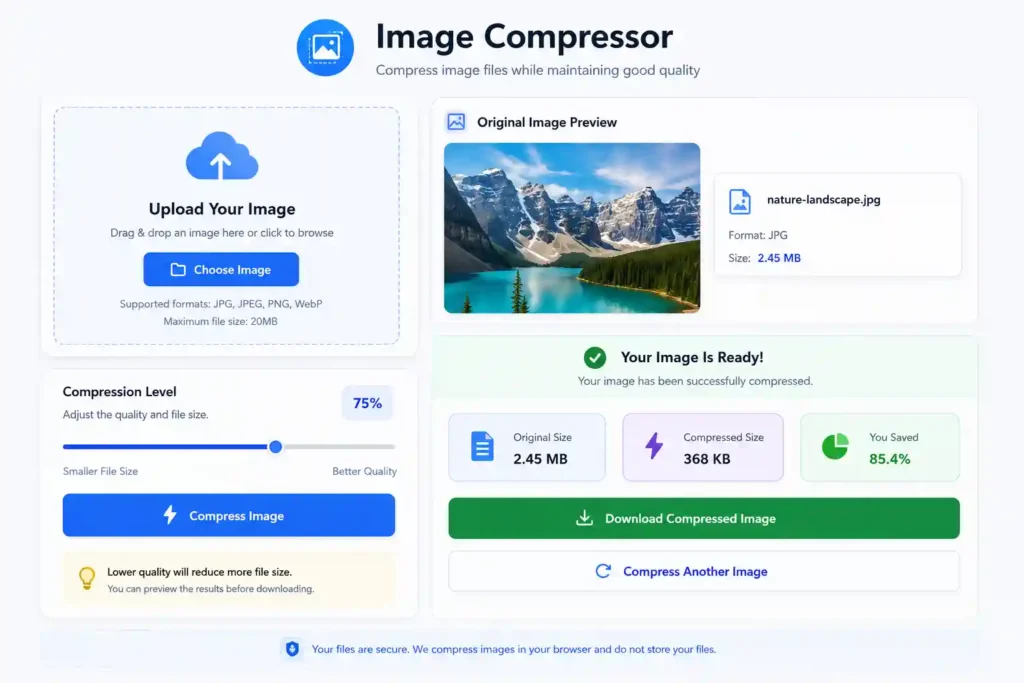
Our Image Compressor is very easy to use. Just upload your image, select the Compression Level as per your requirement and click the Compress button. Then you can download the reduced size image.
How to Compress Image?
To compress images with our Image Compressor, you just need to follow a few simple steps.
Upload your image
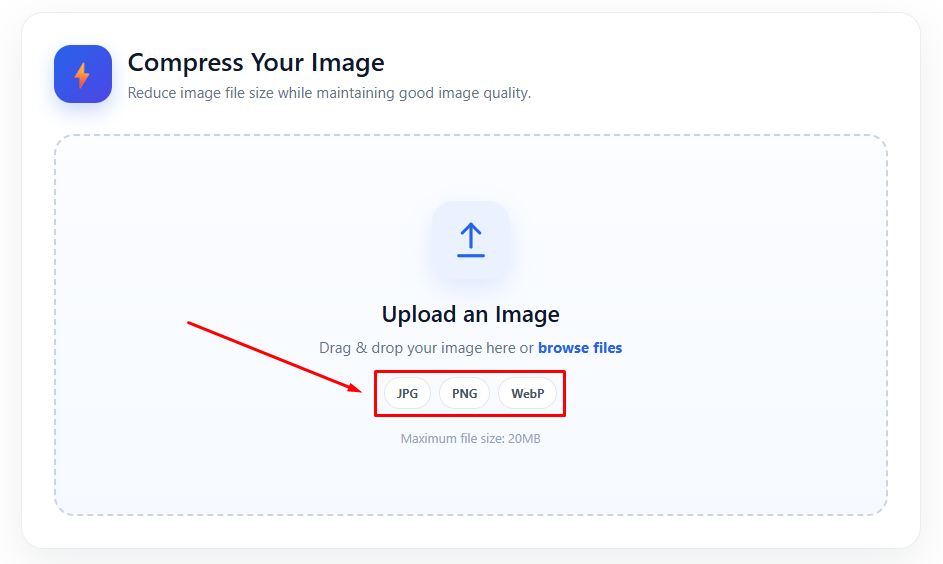
First, select an image from your device. If you want, you can also drag & drop the image to the Upload Area.
Select Compression Level
Then use the Compression Level or Quality Slider to select the Image Quality according to your needs. Selecting a lower Quality usually reduces the file size of the image even more.
Click the Compress Image button
After selecting everything, click the Compress Image button. The tool will process your image and complete the compression.
View the results
After the compression is complete, you can see the Original Size and Compressed Size of the image. You can also see the percentage of file size reduction.
Download the Compressed Image
Finally, click the Download Compressed Image button to save your compressed image to your device.
Free Online Image Compressor
Using our Free Online Image Compressor, you can easily reduce the file size of images. No need to use any complicated software for this.
Sometimes you need to reduce the size of images before uploading them to a website. You may also need a smaller image size to send them via email, upload them to social media, or save storage space on your device.
Using this tool, you can upload an image, select the compression level as needed, and download the new image after the compression is complete.
No special technical knowledge is required to use the tool. Anyone from a general user to a Website Owner, Blogger, Student, or Designer can easily use it.
Features of our Image Compressor
Our Image Compressor is designed in such a way that anyone can easily compress images.
Easy to use
No special skills or photo editing software are required to use this tool. Just upload the image, select the compression level and compress it.
Reduce Image File Size
This tool can be used to reduce the size of large image files. As a result, it is relatively easy to upload, download and share the image.
Compression Quality Control
You can select the Compression Quality according to your needs. This allows you to create a balance between Image Quality and File Size according to your preference.
View Original and Compressed Size
After compressing the image, you can see the Original File Size and the new Compressed File Size. As a result, it will be easy to understand how much size has been reduced after compression.
Multiple Image Format Support
Several popular image formats are supported in this tool, so that different types of images can be compressed.
No need to install any software
This Image Compressor can be used online. So there is no need to download or install any separate software.
Mobile and Desktop Friendly
You can easily use this Image Compressor from your Computer, Laptop, Tablet or Mobile Device.
Supported Formats
Our Image Compressor currently supports the following image formats.
JPG / JPEG
JPG and JPEG formats are commonly used for various types of images and photographs. Images in these formats can be compressed to reduce file size.
PNG
PNG format is commonly used for graphics, screenshots, and images with transparent backgrounds. Our tool can also compress PNG images.
WebP
WebP is a modern image format that can provide good image quality at a relatively small file size. It is especially popular for websites and online content.
Maximum Upload Size: 20MB
Free Image Compressor (FAQ)
What is Image Compressor?
Image Compressor is a tool that helps reduce the file size of images. Through this, a large image file can be made relatively smaller.
Is this Image Compressor Free?
Yes, using our Image Compressor, the file size of images of supported image formats can be reduced.
Will Image Compressing reduce the quality?
It depends on the Compression Level you select. If you compress more, the file size can be reduced more, but in some cases, the image quality may decrease. You can select the quality as per your requirement.
Which image formats are supported?
Currently, JPG, JPEG, PNG and WebP image formats are supported.
Maximum image upload size is up to how many MB?
You can upload images up to a maximum of 20MB.
Do I need to install any software?
No. This Image Compressor can be used online. So there is no need to download or install any separate software.
Can Image Compressor be used from mobile?
Yes. You can use this tool from mobile, tablet, laptop or desktop computer.
How to Download Compressed Image?
After Image Compression is completed, clicking on the Download Compressed Image button will download the Compressed Image to your device.
Why is Image Compression necessary for a Website?
Large size images can take longer to load on a webpage. Reducing the file size of an image makes the image file on the website relatively smaller and uses less storage.