PNG to JPG Converter – Convert PNG Images to JPG Online for Free
PNG to JPG are two popular image formats, but they are used for different purposes. PNG is often chosen for images with transparent backgrounds, logos, screenshots, and graphics. JPG is commonly used for photos and other images where a smaller file size can be useful.
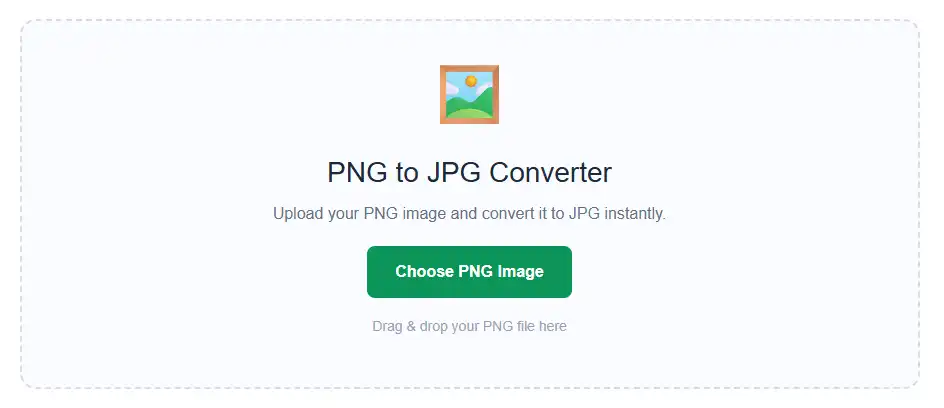
Our PNG to JPG converter makes it easy to change a PNG image into JPG format. You do not need to understand image editing or use complicated software. Simply upload your PNG file, choose the quality you want, convert the image, and download the JPG file.
This tool is made for anyone who needs a quick and simple way to convert PNG to JPG online.
How to PNG to JPG
Using our PNG to JPG converter is straightforward. You can complete the conversion in a few simple steps.
- Upload the PNG image you want to convert.
- Check the image preview after uploading.
- Adjust the JPG quality if needed.
- Select a background color if the PNG image contains transparent areas.
- Click the Convert to JPG button.
- Wait for the conversion to finish.
- Download your converted JPG image.
You can also drag and drop your PNG image directly into the upload area.
Features of Our PNG to JPG
Our PNG to JPG converter includes practical features that make image conversion easier.
Simple Image Upload
Upload a PNG image from your device or drag and drop it into the tool. You do not need complicated settings to get started.
Image Preview
After selecting your image, you can preview it before converting. This allows you to check your image before creating the JPG version.
JPG Quality Control
You can choose the JPG quality that works best for your image. This gives you more control over the final result and file size.
Background Color Selection
Some PNG images contain transparent areas. Since JPG images do not support transparency, you can choose a background color before converting the image.
File Size Information
The tool shows the size of the original PNG image and the size of the converted JPG image. This helps you see how the file size changes after conversion.
Quick Conversion
The conversion process is designed to be simple and fast. Upload your image, select your settings, and create a JPG file in a few steps.
Easy JPG Download
After the conversion is complete, you can download the JPG image directly to your device.
Works on Different Devices
You can use the PNG to JPG converter on desktop computers, laptops, tablets, and mobile devices.
Free Online PNG to JPG
Our free online PNG to JPG converter gives you an easy way to convert images without downloading separate image editing software. You can open the tool in your browser, upload a PNG image, and convert it into JPG format.
The tool is useful when you need a JPG version of a PNG image for a website, online form, social media post, email attachment, or personal project.
The conversion process is simple enough for beginners while still providing useful options such as JPG quality and background color selection.
Supported Formats
Our PNG to JPG converter supports the following formats:
Input Format
Output Formats
You can upload a PNG image and convert it into a standard JPG image that can be used on most websites, devices, and applications.
FAQ
What is a PNG to JPG converter?
A PNG to JPG converter is a tool that changes a PNG image into JPG format. It creates a new JPG version of your uploaded image.
Is this PNG to JPG converter free?
Yes. You can use the tool to convert PNG images to JPG without paying for the conversion.
Do I need to install software?
No. You can use the converter directly from your web browser without installing an image editing program.
Can I control the JPG quality?
Yes. The tool allows you to adjust the JPG quality before converting the image.
Why does my PNG background change after converting to JPG?
PNG files can contain transparent areas, but JPG files cannot. During conversion, transparent areas need to be replaced with a background color.
Can I check the file size after conversion?
Yes. You can see both the original PNG file size and the size of the converted JPG file.
Can I use the tool on my phone?
Yes. The PNG to JPG converter can be used on mobile devices as well as computers.
Is PNG to JPG conversion difficult?
No. Upload your PNG image, adjust the settings if necessary, click the convert button, and download your JPG image when it is ready.